Touchscreen vs Non-Touchscreen Laptops: Which Is Better for You?
The first time Brian used a touchscreen laptop, he thought he had finally entered the future. He tapped the screen to open a document. He swiped through photos. He even tried zooming in on a spreadsheet with two fingers.
It was fun. But after a few weeks, Brian noticed something. Most of the time, he was still using the keyboard and trackpad.
His friend, on the other hand, had chosen a non-touchscreen laptop. It wasn't as flashy, but it was practical, comfortable, and more affordable. For the work she did every day, she didn't feel like she was missing anything.
So, which laptop is actually better?
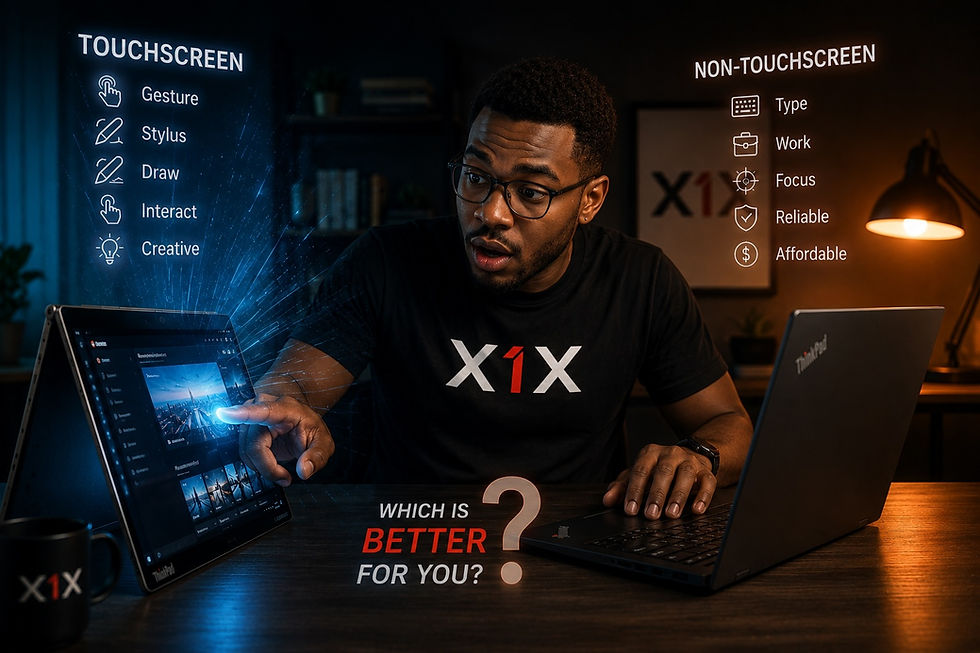
A touchscreen vs non-touchscreen laptop?
The answer depends less on which one looks more impressive and more on how you actually use your laptop.
What Is a Touchscreen Laptop?
A touchscreen laptop allows you to interact directly with the display using your fingers. Instead of using only a mouse or trackpad, you can tap icons, scroll through pages, zoom into images, and interact with certain applications directly on the screen.
Some touchscreen laptops can also work with a stylus, making them useful for drawing, taking handwritten notes, or marking documents. For some people, this can make everyday tasks feel more natural. For others, it may be a feature they rarely use.
That is why the touchscreen vs non-touchscreen laptop debate does not have one answer for everyone.
When Does a Touchscreen Laptop Make Sense?
Imagine you are a university student attending a lecture.
You are reviewing a presentation, scrolling through an online textbook, and highlighting important information. Being able to touch the screen can feel convenient. Or perhaps you are a creative professional who sketches ideas, edits images, or works with digital designs. A touchscreen may give you another way to interact with your work.
A touchscreen laptop can be particularly useful for:
Taking handwritten notes
Drawing and sketching
Viewing photos and presentations
Navigating certain applications
Presenting information
Using a laptop in tablet or convertible mode
For people who regularly use these features, a touchscreen can be more than just a nice extra. It can become part of the way they work.
When to Choose a Non-Touchscreen Laptop?
A traditional non-touchscreen laptop remains an excellent choice for many people. If your daily activities include typing, browsing, working with documents, attending online meetings, programming, or managing business tasks, you may not need a touchscreen at all.
A non-touchscreen laptop may make sense if you want:
1. A More Affordable Laptop
If two laptops have similar specifications, the touchscreen version may cost more because of the additional display technology. Choosing a non-touchscreen model may allow you to spend your budget on features that could matter more to you, such as:
More RAM
A larger SSD
A better processor
A higher-quality display
For example, someone who spends most of their day using Microsoft Office may benefit more from additional RAM or faster storage than from a touchscreen they rarely use.
2. A Traditional Work Experience
Many people simply prefer using a keyboard and trackpad. If you type for several hours every day, your keyboard is probably one of the most important parts of your laptop. For writers, accountants, programmers, administrators and business professionals, a good keyboard and comfortable trackpad may be more valuable than touchscreen capability.
3. A Practical Laptop for Everyday Use
For many people in Kenya, a laptop needs to do several jobs. It may be used for work during the day, online classes in the evening, and entertainment at night. In this situation, performance, reliability and affordability may matter more than having a touchscreen.
Touchscreen vs Non-Touchscreen: What About Battery Life?
Battery life depends on many factors, including the processor, battery capacity, screen brightness and how the laptop is being used. However, touchscreen technology can add to a laptop's power requirements.
Depending on the specific model, a non-touchscreen version may offer better battery efficiency. The difference is not always dramatic. The important thing is to look at the complete laptop rather than assuming that every touchscreen laptop has poor battery life.
A well-designed touchscreen laptop can still provide excellent battery performance.
Are Touchscreen Laptops More Fragile?
Not necessarily.
A touchscreen laptop is not automatically fragile. However, the display contains additional technology that allows it to detect touch. Like any laptop screen, it should be handled carefully.
The bigger lesson is this:
The way you treat your laptop matters more than whether the screen is touch-enabled. Avoid placing heavy objects on it. Do not carry it by the screen. Keep food and drinks away from the keyboard. Use a proper laptop bag when travelling.
Good habits will help protect your investment, regardless of the type of screen you choose.
Which Is Better for Students?
For students, both options can work well. A touchscreen can be useful for:
Taking notes
Reading
Drawing
Presentations
Creative work
But a non-touchscreen laptop may be a better option for students who mainly need a reliable machine for:
Research
Assignments
Online classes
Microsoft Office
Programming
Browsing
The most important thing is not whether the laptop has a touchscreen. The most important thing is whether it can comfortably handle the student's actual workload.
Which Is Better for Professionals?
For professionals, the answer depends heavily on the job. A graphic designer, digital artist, or person who frequently interacts with visual content may appreciate a touchscreen. A lawyer, accountant, writer or software developer may find that a good keyboard, strong performance and a comfortable screen are more important.
For someone who spends eight hours typing, the keyboard may matter far more than the ability to tap the screen.
With X1X, You Don't Have to Wait Until You Can Afford the Full Price
For many students, professionals and business owners, the challenge is paying for the entire laptop upfront. That is where a PAYGO laptop can make a difference.
Instead of waiting months while saving the full purchase price, you can get access to a quality laptop through a flexible lipa mdogo mdogo payment plan and spread the cost over time.
At X1X, you can access quality touchscreen and non-touchscreen Lenovo ThinkPad laptops and pay through a flexible monthly payment model, making it easier to get the technology you need without waiting until you have the full amount in cash.